 FIRST FRAME
01 · Your photo
The first frame
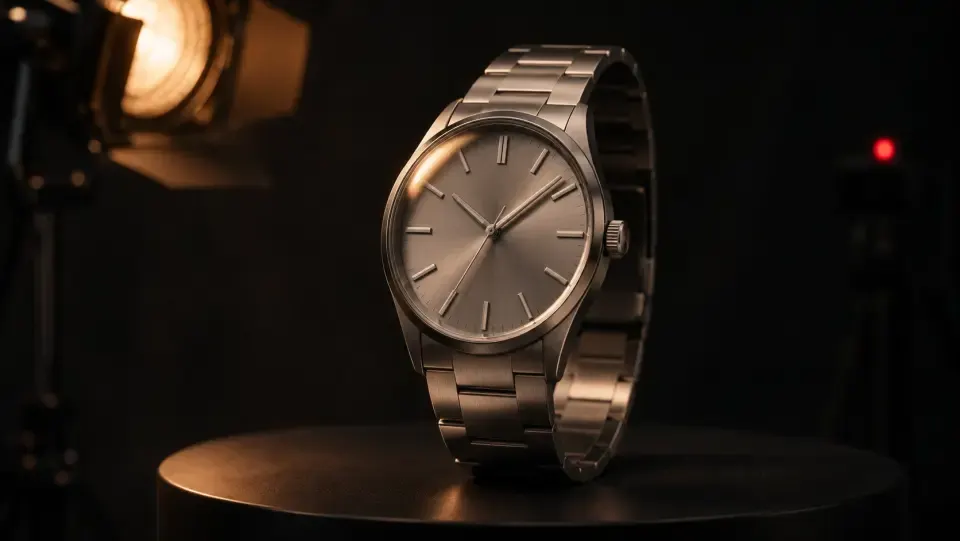
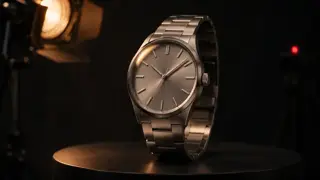
A steel watch on a dark turntable. The prompt asks for a slow turn, a sweeping beam of light, ticking and a low synth pad.
 MAGI-2 AI
Start from your own photo, tell MAGI-2 what should move, and get a 4 to 30 second clip with sound.
JPG, PNG or WebP up to 30 MB · 4–30 seconds · Sound on · Optional last frame
 ♪ SFX + MUSIC
Your MAGI-2 image to video clip will play here
Tap a run to watch it
Same photo · two runs
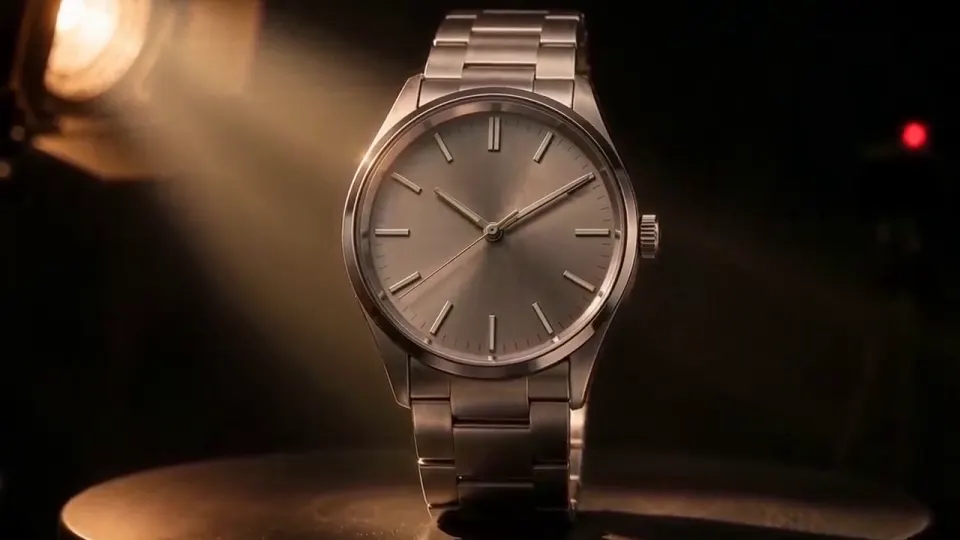
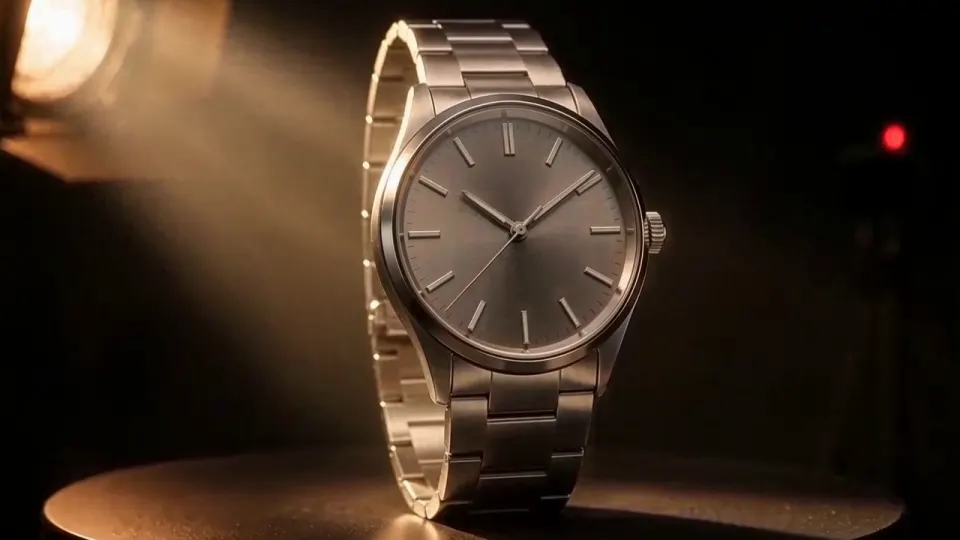
Same watch photo, same prompt, two MAGI-2 image to video runs. Press play to compare.
FIRST FRAME01 · Your photo
A steel watch on a dark turntable. The prompt asks for a slow turn, a sweeping beam of light, ticking and a low synth pad.
RUN 1 · 5s · ♪02 · Run one
The watch keeps its exact look from the photo, the beam sweeps in, and the dial turns a little.
 RUN 2 · 5s · ♪
03 · Run two
Same start, same beam, but the watch turns further and ends facing the camera. Both clips have sound.
So MAGI-2 image to video keeps your photo as the opening shot and follows the prompt, but the motion varies between runs. If the ending matters, add a last frame.
Two images?
MAGI-2 image to video always needs a first frame. The last frame is optional and costs nothing extra.
01 · First frame only
Your photo opens the clip and MAGI-2 image to video decides where the shot goes, guided by your prompt. Good for a product turning or a portrait that speaks.
02 · First + last frame
Upload a second image and MAGI-2 fills in the motion between the two. Use this MAGI-2 first last frame setup when the clip must end on a set picture, like a logo card. Keep both images the same shape.
3 steps
No photo yet? Start from a sentence with the MAGI-2 video generator.
Image to Video is already selected. Add a JPG, PNG or WebP as the first frame, plus a last frame if you want one.
Say what moves, how the camera moves and what we should hear. Pick 4 to 30 seconds and a shape.
Your MAGI-2 image to video clip plays here when ready and stays in My videos for 7 days.
Before you upload
Four checks before you spend credits on MAGI-2 image to video.
Pick 16:9 for YouTube or 9:16 for Shorts, and crop the photo to that shape first so the opening shot looks as you framed it.
One obvious subject gives MAGI-2 image to video a clear thing to move. Say which parts should stay still.
If the subject should turn or the camera should push in, leave space around it.
Name what we should hear: ticking, waves, a crowd, or a line of dialogue in quotes.
Prompts
Tap a card to put it in the MAGI-2 image to video tool above, then edit it for your photo.
01 · ProductWe ran this · 2 takes
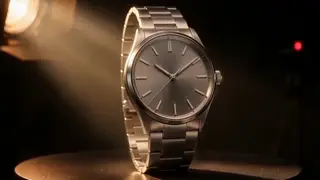
The watch turns slowly on the dark turntable while a thin beam of light sweeps across the steel case. Close mechanical ticking, a soft low synth pad, no voice.
02 · Portrait
The woman in the photo looks up, smiles and says: "You made it." The camera pushes in slowly. Soft room tone, a door closing far away.
03 · Landscape
Clouds drift over the hills, wind moves the grass and the camera pans slowly to the right. Wind, distant birds, no music.
04 · Illustration
The character in the drawing blinks, turns its head and waves. Keep the drawing style and colors. Light, playful music.
The last three are starting points we wrote for you, not clips we made.
Cost
MAGI-2 image to video costs 9 credits a second, sound included. A last frame is free.
| Length | Credits | Monthly plan | Yearly plan |
|---|---|---|---|
| 5 seconds | 45 | about $3.20 | about $1.60 |
| 10 seconds | 90 | about $6.40 | about $3.20 |
| 30 seconds | 270 | about $19 | under $10 |
No plan? A $9.99 Starter pack covers two 5-second clips. See MAGI-2 pricing for every plan. If a video fails, the credits come back.
How we tested
On November 25 and 26, 2026 we ran the watch prompt twice through MAGI-2 image to video: 5 seconds, 16:9, sound on, first frame only. The runs took about 2.5 and 3 minutes. Both kept the photo and had sound; the motion differed.
It is not free. The same photo gives a different take each time, so plan a second try for important shots. Wait times change with demand, and 30-second clips take much longer. We have not tested last frames or mismatched shapes yet, so we explain those settings without promising results.


Last updated: November 26, 2026
FAQ
In MAGI-2 image to video, upload one image as the first frame and the other as the last frame, then describe the motion.
No. Each clip costs 9 credits a second, sound included, and packs start at $9.99. The example clips on this page are free to watch.
JPG, PNG or WebP, up to 30 MB per image.
From 4 to 30 seconds, in 21:9, 16:9, 4:3, 1:1, 3:4 or 9:16.
Yes. Every clip here is made with MAGI-2, the video model from Sand AI. We don't switch to another model when it gets busy.
It is used only for your MAGI-2 image to video clip and deleted after 7 days.
Upload one image, describe the motion, hear the result. A 5-second clip is 45 credits.
Make My Video45 credits